Mobility
PMWEB is a true "zero footprint" product — no downloads, no Java, no ActiveX, no Silverlight, no Apps. Just run PMWEB from your browser, on any device.
Run PMWEB Anywhere
PMWEB is a true "zero footprint" product — no downloads, no Java, no ActiveX, no Silverlight, no Apps — just run PMWEB from your browser, whether Microsoft Edge, Google Chrome, Firefox or Apple Safari.
This means PMWEB will run on any iPad, iPhone, tablet, smartphone or other Android device — and because all the processing is done back at the server, the speed is lightning fast, limited only by the speed of your internet connection. The responsive design of PMWEB7 means that your PMWEB page will automatically reformat to suit whatever device you are using.
For clients who have users on sites with limited or no internet (e.g. remote areas or working underground/within tunnels), PMWEB offers PMWEB Mobile. This app will capture data offline and automatically synch with PMWEB when back in internet range.
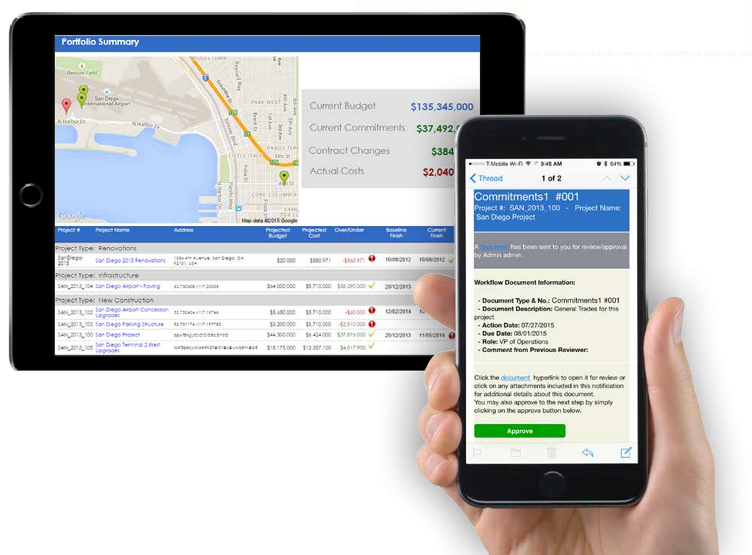
PMWEB Mobile™
PMWEB Mobile™ is an optional item that is light and responsive, allowing users to read, edit, and add PMWEB records using mobile devices — smartphones, phablets, and tablets. PMWEB Mobile screens are specially formatted to look their best on these devices and the app takes advantage of the unique features that mobile platforms provide. PMWEB Mobile runs on the iOS and Android operating systems and can be downloaded from the iTunes Store and Google Play.
PMWEB Mobile can be used in real time — while actively connected to a PMWEB database — as well as offline. Offline edits are saved on the device until a database connection is available, when PMWEB Mobile can automatically synchronize the data.
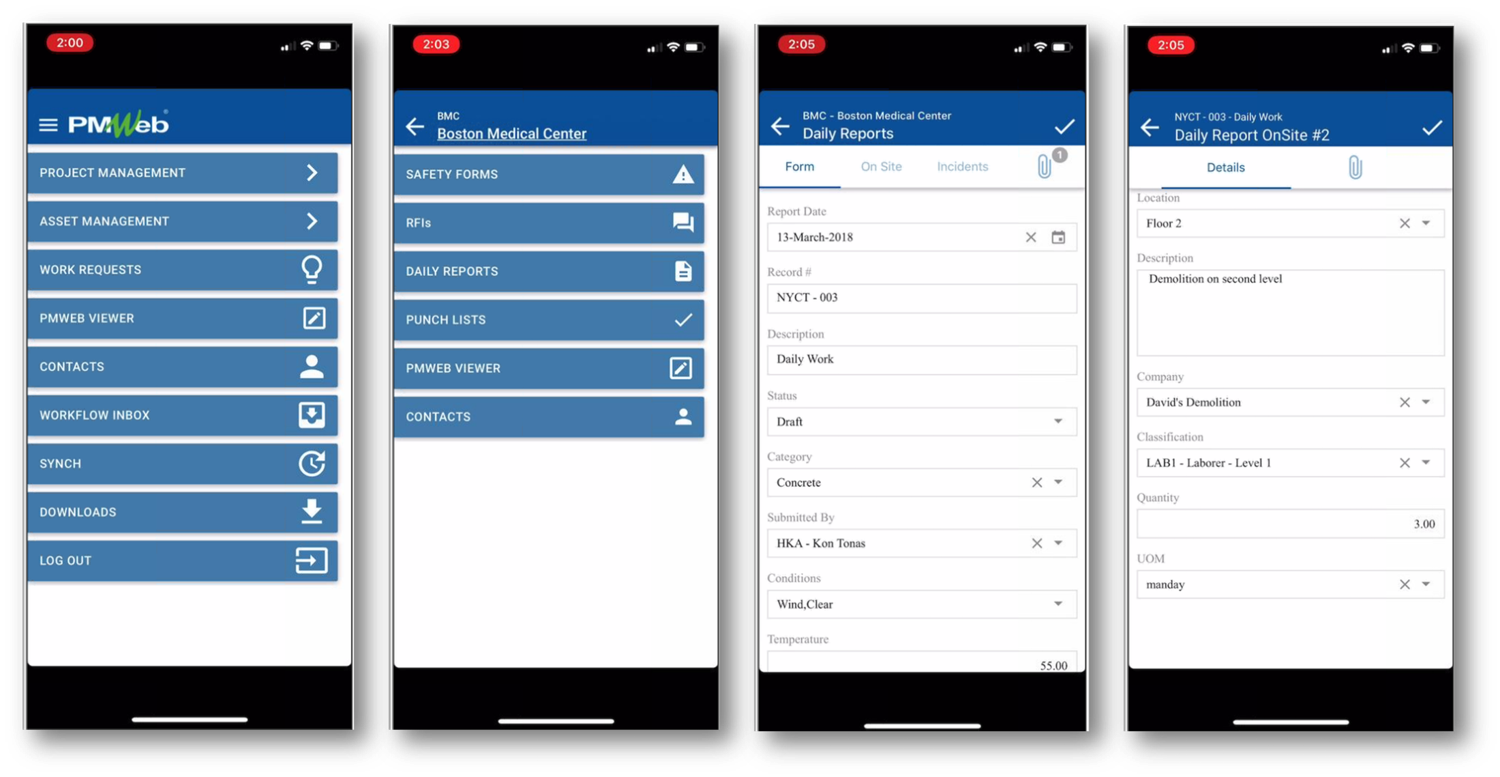
Available in PMWEB Mobile
The following features are available in PMWEB Mobile:
All record permissions and security settings from the PMWEB database are honoured by PMWEB Mobile, so access to records and features listed above may be limited to what a user has permission to see in the main application.
See PMWEB Mobile in Action
Talk to HKA Tech for more details on PMWEB Mobile and how field teams use PMWEB on site, online and offline.